目次
- 大きな問題
- AIへの移行
- 生成的UIとは?(その場での設計)
- 硬直したデザインシステムの崩壊
- 一貫性から知能性へ
- 企業が2026年に先を行く方法
- 結論
- よくある質問
Are you tired of staring at a wall of colorful charts and still not knowing what to do? You aren’t alone. For years, we thought the perfect dashboard was the holy grail of business. We obsessed over the right shade of blue and the perfect placement of every little button. But guess what? Most of those beautiful dashboards have become graveyards of forgotten metrics.
カラフルなチャートの壁を眺めていても、何をすべきか分からないことにうんざりしていますか? あなたは一人ではありません。長年、私たちは完璧なダッシュボードがビジネスの聖杯だと信じてきました。私たちは青の正しい陰影と、すべての小さなボタンの完璧な配置に執着していました。しかし、実際には、多くの美しいダッシュボードは忘れ去られた指標の墓場となっています。
In this article, we’re diving into a bold new idea from Michal Malewicz. He says the era of static dashboards and rigid design systems is ending. But don’t worry — it’s actually great news for you and your business!
本記事では、Michal Malewicz の大胆な新しいアイデアに踏み込みます。彼は静的なダッシュボードと硬直したデザインシステムの時代が終わりつつあると言います。しかし心配はいりません――それはあなたとあなたのビジネスにとって実際には素晴らしいニュースです!
Summary
- The Big Problem: 美しいダッシュボードがしばしば私たちの意思決定を助けられない理由。
- The AI Shift: スマートエージェントが退屈な表を実際の会話へ置換している方法。
- Design Systems 2.0: なぜ一貫性より知能性が重要になっているのか。
- The Human Touch: ウェブの未来が機械的ではなく友人のような存在に見える理由。
- The Next Move: 現代的なウェブデザインで先を行く方法。
The Great Dashboard Delusion
Imagine walking into a modern office. You’ll see screens everywhere showing sales, marketing, and engineering stats. We’ve built entire careers around these dashboards. But here’s the dirty secret: most people look at them, say That’s nice, and then go back to work without changing a single thing.
偉大なるダッシュボードの幻想は現代のオフィスを歩くことを想像させます。売上、マーケティング、エンジニアリングの統計があらゆる場所に表示されています。私たちはこれらのダッシュボードの周りにキャリアを築いてきました。しかし、ここには隠れた真実があります――ほとんどの人はそれらを見て「いいね」と言い、何も変えずに仕事に戻ります。
The problem is that we confuse having data with having answers. A dashboard is like a giant map of the world, when all you really need to know is, Where is the nearest pizza place? We’ve reached information overload. When there’s too much to look at, our brains just tune it all out.
問題は、データを持つことと答えを持つことを混同していることです。ダッシュボードは世界の巨大な地図のようなもので、実際に知る必要があるのは最寄りのピザ店はどこか、ということだけです。情報過多に達しました。見るべきものが多すぎると、私たちの脳はそれをすべて無視します。
Enter the Era of the Smart Assistant
So, if dashboards are dying, what’s taking their place? The answer is Intent-Driven Design.
スマートアシスタントの時代の到来。つまり、ダッシュボードが死につつあるなら、何が代わりを担うのか? 答えは「意図駆動設計(Intent-Driven Design)」です。
Instead of you hunting for data, the data will find you. Think about how you talk to a friend. You don’t ask them to show you a bar chart of their week; you ask, How was your day?
データを探すのではなく、データがあなたを見つけるのです。友だちに話すときのように考えてください。彼らに週の棒グラフを見せてくれと頼むのではなく、「今日はどうだった?」と尋ねます。
The future of web design uses AI to do the same thing. Instead of opening five different tabs to see how your website is doing, you’ll just ask: Hey, how did our new feature launch go?
ウェブデザインの未来はAIを使って同じことをします。ウェブサイトの状況を確認するために5つの異なるタブを開く代わりに、ただ尋ねます。「新機能のローンチはどうだった?」
Download the Medium app
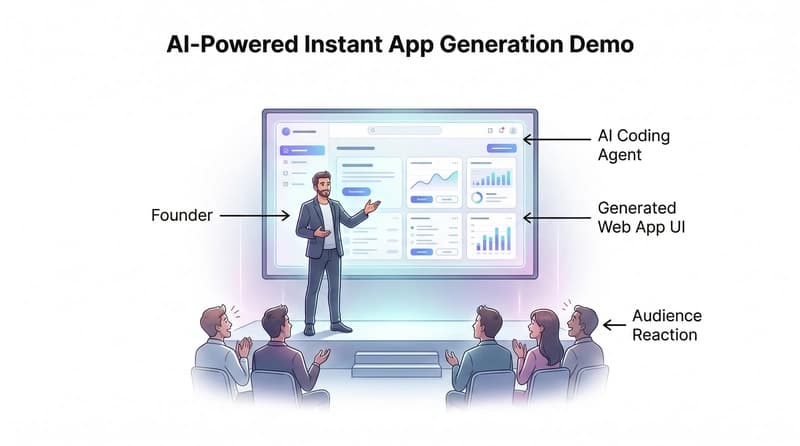
The system will then analyze the data and give you a simple answer: Power users love it, but new users are confused. Here are three things we should fix. That isn’t just a chart; it’s a plan. This is called Generative UI, where the interface actually changes based on what you need at that exact moment.
Mediumアプリをダウンロード
システムはデータを分析し、簡単な答えを提供します。パワーユーザーはそれを好みますが、新規ユーザーは混乱します。ここで私たちが修正すべき3つのこと。これは単なるチャートではなく、計画です。これは Generative UI(生成的UI)と呼ばれ、インターフェースはその瞬間にあなたが必要とするものに基づいて実際に変化します。
The Fall of Rigid Design Systems
For a long time, Design Systems (like Material Design) were the kings of the web. They made sure every button looked exactly the same. While that’s good for staying tidy, it became a bit robotic. We started sacrificing creativity just to stay consistent.
硬直したデザインシステムの崩壊。長い間、デザインシステム(Material Designのような)はウェブの王でした。彼らはすべてのボタンがまったく同じ見た目になるようにしました。きちんと整然としていることは良いことですが、少し機械的になってしまいました。私たちは一貫性を保つために創造性を犠牲にし始めました。
Companies realized they were spending thousands of hours building reusable components that didn’t actually make the user’s life better — they just made the developers’ lives easier.
企業は、再利用可能なコンポーネントを作るのに何千時間も費やしていたことに気づきましたが、それは実際にはユーザーの生活をより良くするものではなく、開発者の生活を楽にするだけでした。
In 2026, we are moving toward Adaptive Interfaces. This means your website shouldn’t look the same for everyone. If a user is a pro, they might see advanced tools. If they are beginners, the site simplifies itself automatically. The design is finally becoming quietly human again.
2026年には、私たちは適応インターフェースへ向かっています。これは、あなたのウェブサイトが誰にとっても同じ見え方をすべきではないことを意味します。ユーザーがプロであれば高度なツールが見えるかもしれません。初心者なら、サイトは自動的に自分を簡略化します。デザインはついに静かに人間らしくなっています。
Why This Matters for Your Business
If you’re still building websites that look like they belong in 2015, you’re losing users. Today’s users want:
なぜこれがビジネスにとって重要か。現代のユーザーが求めるものは:
Personalization: They want the site to know what they like.
Speed: They don’t want to dig through menus.
Clarity: They want answers, not just numbers.
This is where the magic happens. By moving away from static designs and toward intelligent ones, you create a connection with your customers. You move from being just another website to being a helpful partner in their journey.
Personalization: 彼らはサイトが自分の好みを知っていることを望みます。
速度: 彼らはメニューを掘り下げたくありません。
明確さ: 彼らは答えを望んでおり、単なる数字ではありません。
ここに魔法が起こるのです。静的デザインから知能的なデザインへ移行することで、顧客とのつながりを作ります。あなたはただの別のウェブサイトから、彼らの旅の有益なパートナーへと変わります。
Make Your Web Design Human Again with MS Graphix
Ready to stop building data graveyards and start building experiences that actually work? At MS Graphix, we don’t just drag and drop boxes. We build smart, human-centered designs that talk to your users and help your business grow.
MS Graphix でウェブデザインを再び人間味のあるものに。データの墓場を作るのをやめ、実際に機能する体験を作る準備はできましたか? MS Graphix では、ただ箱をドラッグ&ドロップするだけではありません。私たちは、ユーザーと対話し、ビジネスの成長を助ける、スマートで人間中心のデザインを作ります。
Don’t let your brand get stuck in the past. Contact MS Graphix today for professional web design services that bring your vision to life with the perfect mix of AI intelligence and human creativity!
ブランドが過去にとどまらないようにしてください。ビジョンを実現するためのAI知能と人間の創造性の完璧な組み合わせで、プロのウェブデザインサービスを今すぐMS Graphixにご連絡ください!
Conclusion
The end of traditional dashboards isn’t the end of design — it’s a new beginning. We are finally moving past the machine-first era, where we tried to act like computers. By embracing AI and adaptive design, we can focus on what really matters: helping people solve problems quickly and easily. The future is conversational, personalized, and very, very human.
結論
伝統的なダッシュボードの終わりはデザインの終わりではなく、新しい始まりです。私たちはついに機械を最優先とする時代を超え、コンピューターのように振る舞おうとする時代を過ぎました。AIと適応設計を取り入れることで、本当に重要なこと—人々が問題を迅速かつ容易に解決するのを助けること—に焦点を合わせることができます。未来は会話型で、パーソナライズされ、非常に、人間味のあるものになるでしょう。
If you want me to develop your custom AI CRM and dashboard, then contact MS Graphix
カスタムAI CRMとダッシュボードの開発をご希望の場合は、MS Graphixにご連絡ください
FAQs
- Does this mean I should delete my company dashboards?
Not exactly! It means you should stop making them the main event. Use them for deep research, but use smart alerts and conversational AI for daily decision-making.
- What is Generative UI?
It’s a design that is created by AI in real-time. Instead of a fixed page, the website builds a layout specifically for what the user is asking for right then.
- Will AI replace web designers?
No, but it will change their jobs. Designers won’t just draw screens anymore; they will become experience architects who teach the AI how to behave and look.
- Why is consistency becoming less important?
Because a button being the same shade of red isn’t as helpful as a button appearing exactly when a user needs to click it. Function and smart help are winning over perfect looks.
- How can I start using these new design trends?
Start by looking at your user’s intent. Ask yourself: What is the one thing my user wants to do right now? and design the shortest path to get them there. Or, better yet, let a pro team like MS Graphix handle it for you!